Team Management
How AI is changing the UX/UI designer's day to day, from research notes to interface states, what stays human and why seniority matters more.

AI is changing the UX/UI designer role mostly in the production layer of design work: first-draft screens, interface states, research transcripts and design-system documentation. Deciding which problem a screen should solve, and whether it works for every person who has to use it, stays with the designer.
The change is uneven across the two halves of the job title. The UI side, where screens and components get produced, is where AI changes the most. The UX side, where research and decisions about behaviour live, gains some speed and a lot more responsibility.
WHAT YOU’LL FIND IN THIS ARTICLE:
→ What the UX/UI designer role looked like before AI
→ Where AI already changes the day to day, with concrete use cases
→ What stays deeply human in UX/UI design
→ How seniority shifts with AI
→ The risks of using AI in design without context
→ How KWAN thinks about this
In short: AI now drafts much of what a UX/UI designer used to build by hand, such as layout variants, empty and error states, component documentation and first-pass research summaries. Talking to users and owning the decisions that follow, accessibility included, remain human work, and they carry more weight as production gets cheaper.
What did the UX/UI designer role look like before AI?
Before AI tools entered the workflow, a large share of a UX/UI designer's week went into producing and maintaining artefacts. Each screen needed its variants: mobile and desktop, signed in and signed out, with and without data, light and dark mode. Each component needed documentation so that developers could build it the same way twice.
Research carried its own overhead. A round of user interviews meant hours of recordings to rewatch and observations to sort on a whiteboard before any pattern became visible. When the next sprint was already waiting, synthesis was the step that got squeezed.
The friction sat mostly in repetition and handoff. Specs drifted away from what was built. Edge cases such as error messages, empty states, loading behaviour and long names that break a layout were designed last, or left for developers to improvise. Design-system components multiplied because finding the existing one took longer than drawing a new one.
None of that work was wasted: a missing error state still ends up in front of a real user." The problem was how much of the week it took away from the parts of the job that need a designer's judgement.
Where does AI already change a UX/UI designer's day to day?
AI already changes the parts of UX/UI design that are about producing and documenting. The use cases below start from the task, and tools appear only where they solve one.
Designing every state of an interface
A screen is rarely one screen. It has an empty state, an error state, a loading state and a version where a customer's name runs to 40 characters. Assistants built into design tools can generate those variants from a base layout and fill them with realistic content in place of placeholder text. The designer still decides what the error message says and what the user can do next. What changes is that edge cases get designed alongside the main path.
Exploring layouts before committing to one
Early exploration used to mean drawing three or four options by hand and presenting the safest. AI can produce a wide set of layout directions from a short brief, which makes it cheap to look at options nobody would have drawn. Most of them will be generic. The value is in the comparison: seeing a range quickly helps a designer explain why the chosen direction fits the product, and that explanation is what a stakeholder needs to hear.
Turning research sessions into material to work with
Transcribing interviews and producing a first clustering of tagged observations are tasks AI can now take on. A designer who ran six sessions can start synthesis from organised transcripts instead of raw recordings. The interpretation stays human. A cluster labelled "navigation issues" may hide two different problems, one about labels and one about trust. Product managers face a similar split on their side of the research, covered in AI & the role of the Product Manager.
Prototypes that run as code
Prototypes are moving from linked frames to working code. AI coding tools let designers build interactive prototypes that behave like the product, with real data and real transitions, and put them in front of users earlier. Figma's 2026 AI report found that the number of designers participating in development doubled to 41% in the last year, while developers doing design work rose from 44% to 60%. The engineering side of faster prototyping is covered in AI and the role of the Software Engineer.
Keeping the design system documented and consistent
Design systems decay when documentation lags behind components. AI can draft usage guidelines for a component and flag near-duplicates that differ by a few pixels. It can also check that spacing and colour tokens are applied the same way across files, and run a first accessibility pass on contrast and missing labels. A designer still reviews every output, and the time saved goes into deciding what the system should allow.

What stays deeply human in UX/UI design?
The decisions stay human, because they depend on context a tool doesn't have and on consequences a tool can't answer for.
Framing the problem. A brief that says "improve the checkout" can point to a dozen different problems. Working out which one is real takes conversations with users and with the engineers who know the constraints, plus a sense of what the business can change this quarter. Generating screens before that work is done produces polished answers to the wrong question.
Reading people in research. A user who hesitates before clicking, or calls a flow "fine" while scrolling back up twice, is giving information that a transcript flattens. Running a session well, and knowing when to leave the script, depends on a person paying attention.
Trade-offs between legitimate goals. A shorter sign-up form may convert better and collect less of the data a sales team relies on. A bolder visual style may suit the brand and fail a contrast check. Weighing one goal against another is a judgement call with someone's name on it.
Accessibility as an obligation. The European Accessibility Act, Directive (EU) 2019/882, sets common EU accessibility requirements for products and services that include e-commerce and banking services. Its requirements have applied since 28 June 2025, with transition periods for some products and services already in use.
An AI tool can flag a missing label. Deciding that a flow works for someone using a screen reader, and standing behind that decision, is design work.
How does seniority change the UX/UI designer role with AI?
With AI, seniority in UX/UI design shows up in judgement more than in output. A junior designer with AI tools can produce screens and a working prototype early in a project, and early in a career.
That speed is useful. It also skips some of the slow work where design judgement used to form: redrawing a component until the spacing felt right, writing error copy for every state by hand, sitting through a long research session, rebuilding a flow after a developer explained why it couldn't work. A junior who never goes through those moments can produce more without learning why one option beats another.
Seniors carry more as a result. When screens are cheap, a senior designer's value sits in deciding which ones should exist and in reviewing generated work for the problems a stakeholder won't spot. Protecting the design system from a stream of near-duplicates becomes part of the job too. Seniors also have to explain their reasoning out loud, because judgement can't be learned from a finished file.
The overlap with front-end work adds a second layer. A designer who writes code for a prototype, or for something close to production, now shares accountability for how it behaves. Knowing where that boundary sits in a given team, and when to hand over to an engineer, is a senior call.
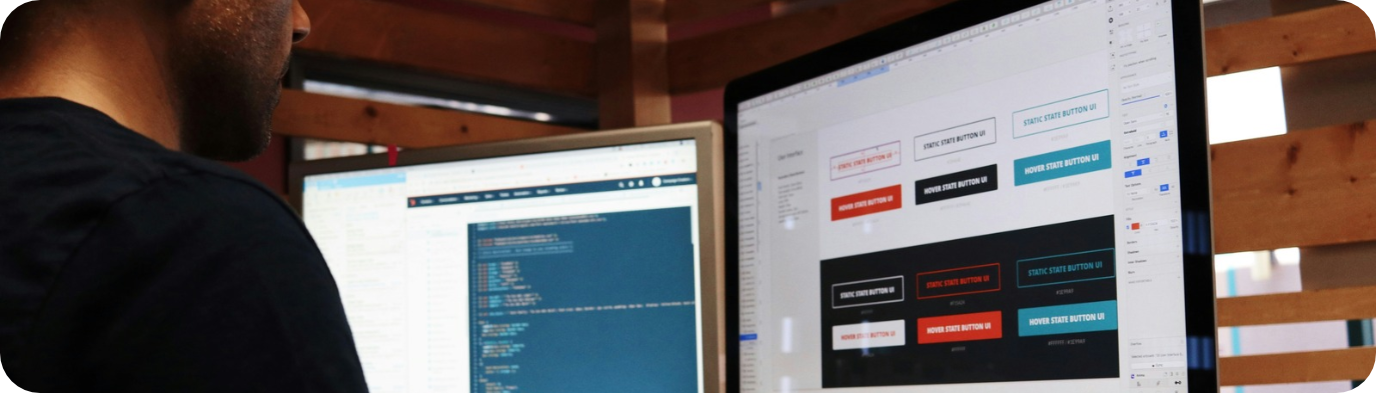
What are the risks of using AI in UX/UI design without context?
The main risk of using AI in UX/UI design without context is mistaking a finished-looking screen for a solved problem. AI output arrives polished, and polish hides the questions nobody asked.
Common failure points:
→ Synthetic users in place of real ones. Some tools offer AI-generated personas that answer research questions. The answers sound plausible because they are built from patterns in existing text. They can't show how the specific people using a specific product behave, which is the reason research exists.
→ Summaries that drop the minority. A first-pass synthesis can surface mainly what most participants said. The user who navigates by keyboard, or whose workaround exposes a broken flow, can disappear from a summary built on frequency.
→ Optimising the wrong thing. Generating dozens of variants and testing them can push a product towards whatever lifts a short-term metric, including patterns that make cancelling harder. Testing at scale doesn't decide what is acceptable.
→ More screens, same problem. A team can fill a sprint with generated layouts and leave the original user problem untouched. When many teams use similar tools, products can also start to look alike.
→ Decisions with no history. When a layout comes from a prompt, the reasoning behind it often isn't written down anywhere. A year later, nobody knows why the navigation works the way it does, and the next change starts from guesswork.
→ Accessibility that looks finished. A generated screen can pass a visual review and still fail a keyboard path or a screen reader. For services in the scope of the European Accessibility Act, that gap is also a compliance problem.
→ Research data in the wrong place. Interview recordings and transcripts often contain personal data. Uploading them to an AI tool is a data protection question to settle before any time saving counts.
How KWAN thinks about this
UX/UI sits within KWAN's product, design and delivery expertise, available as an individual through IT staffing & Team Augmentation or as part of a dedicated team. The view behind both is people-first: AI takes on production, and the designer's time goes back to users and decisions. The tools are only as useful as the person who knows the product well enough to question them.
This article is part of a series on how AI is changing IT roles. Earlier pieces cover the product manager, the software engineer, the tech recruiter and the data engineer.
FAQ
1. Will AI replace UX/UI designers?
No. AI is taking over much of the production work in UX/UI design, such as interface states, layout variants, research transcripts and documentation. Framing problems, running research, weighing trade-offs and owning accessibility remain with the designer.
2. Which UX/UI design tasks does AI handle best today?
Generating interface states, exploring layout options, transcribing and tagging research sessions, and documenting design-system components. Each output still needs a designer's review.
3. Can AI-generated personas replace user research?
No. AI-generated personas produce answers based on patterns in existing text. They can help prepare a research plan, but only sessions with real users show how a specific audience behaves with a specific product.
4. Does AI make junior UX/UI designers less necessary?
It changes what juniors learn first. AI lets junior designers produce screens and prototypes quickly, while the judgement that comes from research and critique still has to be built. Senior designers carry more responsibility for teaching it.
5. Who is responsible for accessibility when AI generates the interface?
The organisation that offers the product or service. Under the European Accessibility Act, the obligations sit with the organisations that make or provide the products and services in its scope, with some exemptions, including for microenterprises that provide services. That holds whatever tool produced the screens. Inside the team, a named person still has to own the check.
Thinking about a next UX/UI role? See KWAN's open positions. Planning design capacity for a product team? Talk to KWAN.
Get In Orbit in your inbox
A monthly selection of articles and perspectives from KWAN. Choose what's relevant to you.
Related Articles
Before you resource a 2027 tech initiati...
The questions to answer before choosing between the existing team, an internal hire, team augmentation or a dedicated te...
Read article
AI & the role of Tech Recruiter
How AI is changing the tech recruiter's day to day, what stays human and why seniority matters more, with insights from ...
Read article
A new engineer hasn't shipped yet: how t...
When a new engineer hasn't shipped yet, the last delivery signal that happened tells you where to look: standup, pull re...
Read article